Features
Everything runs on the daily ticket.
The ticket your crews already fill out, signed on site and turned into an invoice in one click, with dispatch, the GPS time clock, yard inventory, rentals, purchasing and reports on the same record. Every feature is on every plan.
Prove the work
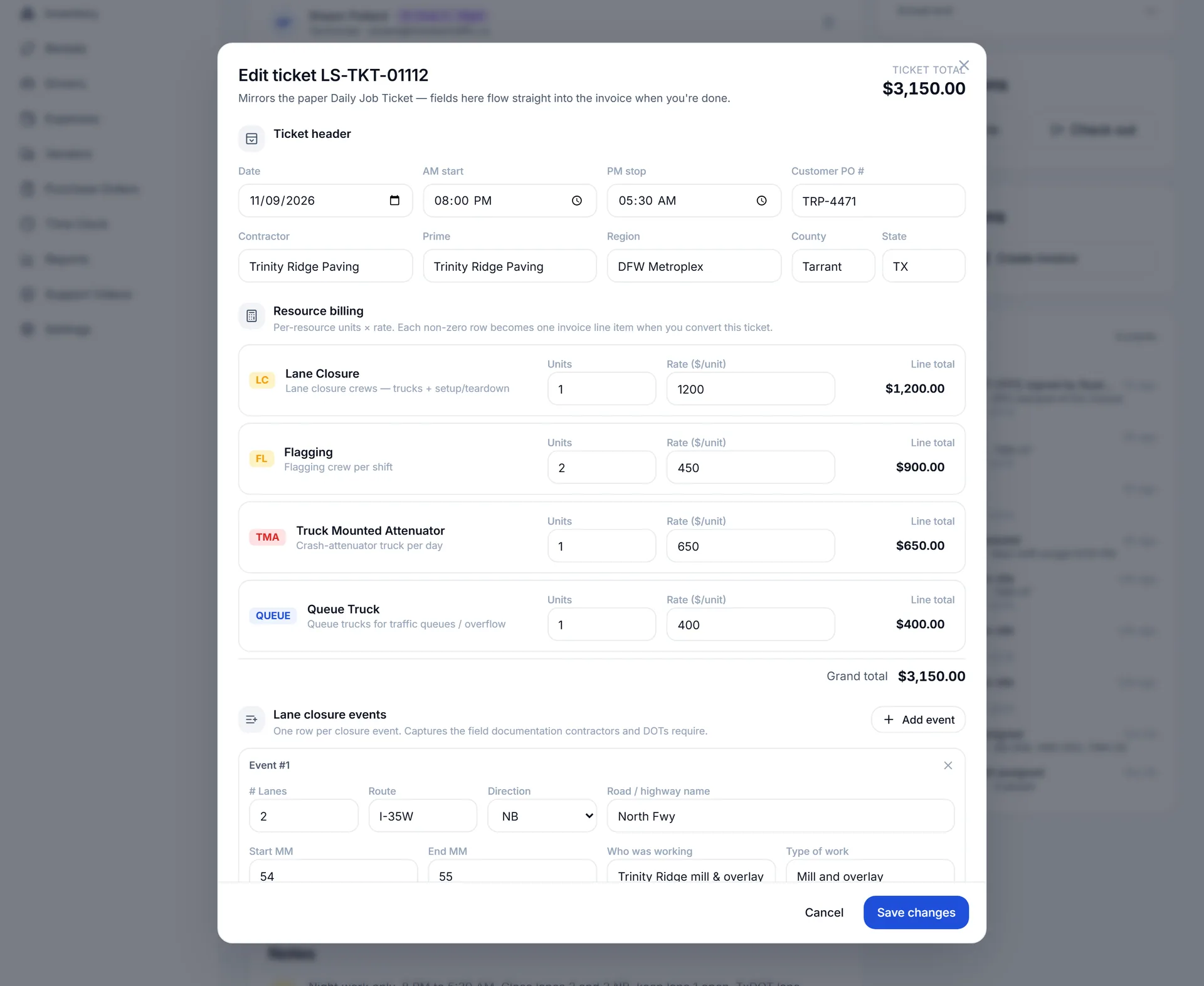
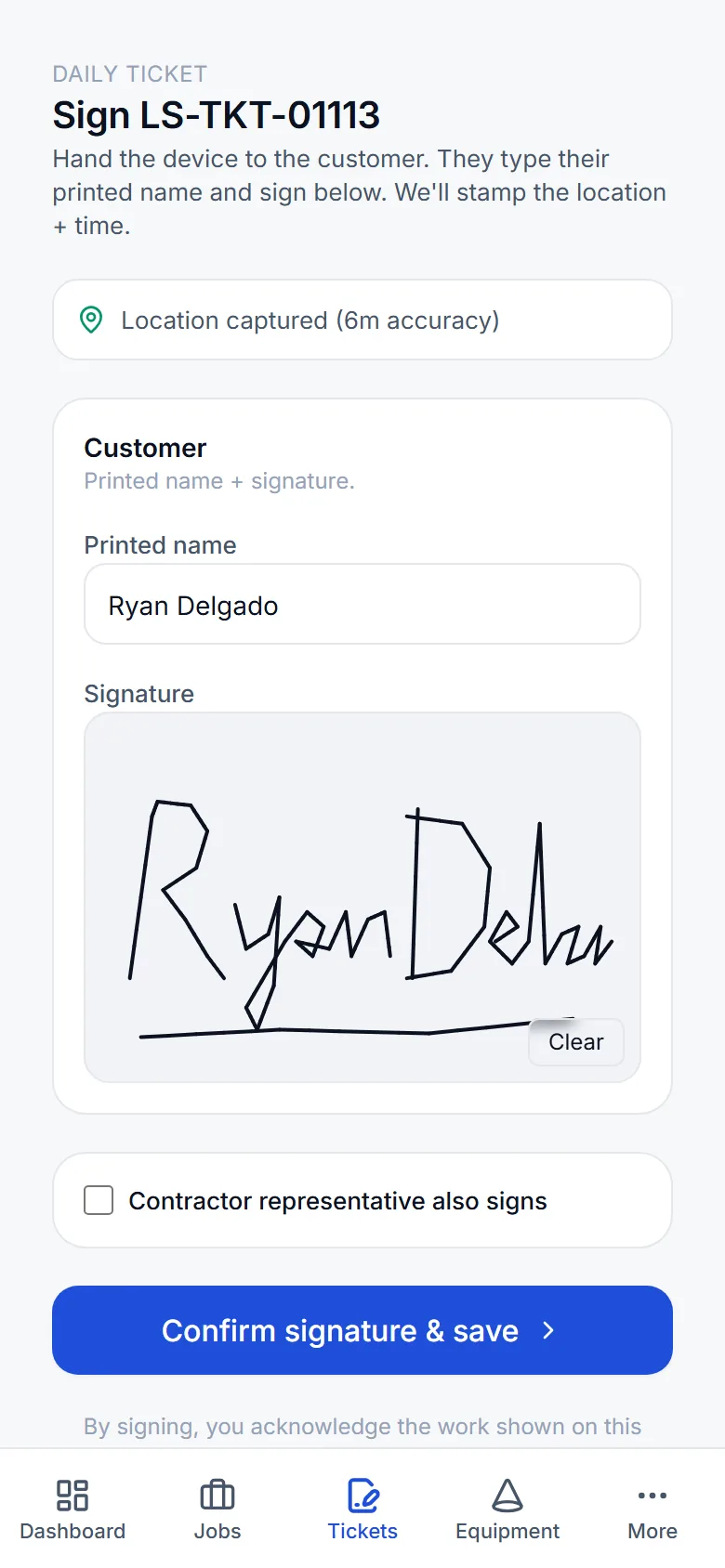
Daily tickets, signed on site
The ticket your crews already fill out, on a phone: signed by the customer with the time and GPS position stored, then frozen as a PDF.
The real ticket fields+
Header with contractor, prime, customer PO, region, county and state. Billing rows with units and a rate for lane closure, flagging, TMA and queue trucks. Lane events with lanes, route, direction, road, mile-marker range and type of work. Trucks with the employee and start and stop times.
Signed with GPS+
The customer signs on the crew lead's phone or tablet. The signer's name, the time and the GPS position are stored, and the signed PDF is frozen as the record of the day.
Photos and files on the job+
Crews add photos from their phones; the office attaches plans, permits and other documents to the job as files.
Audit log+
Every change, send and signature is recorded with who did it and when.
Get paid
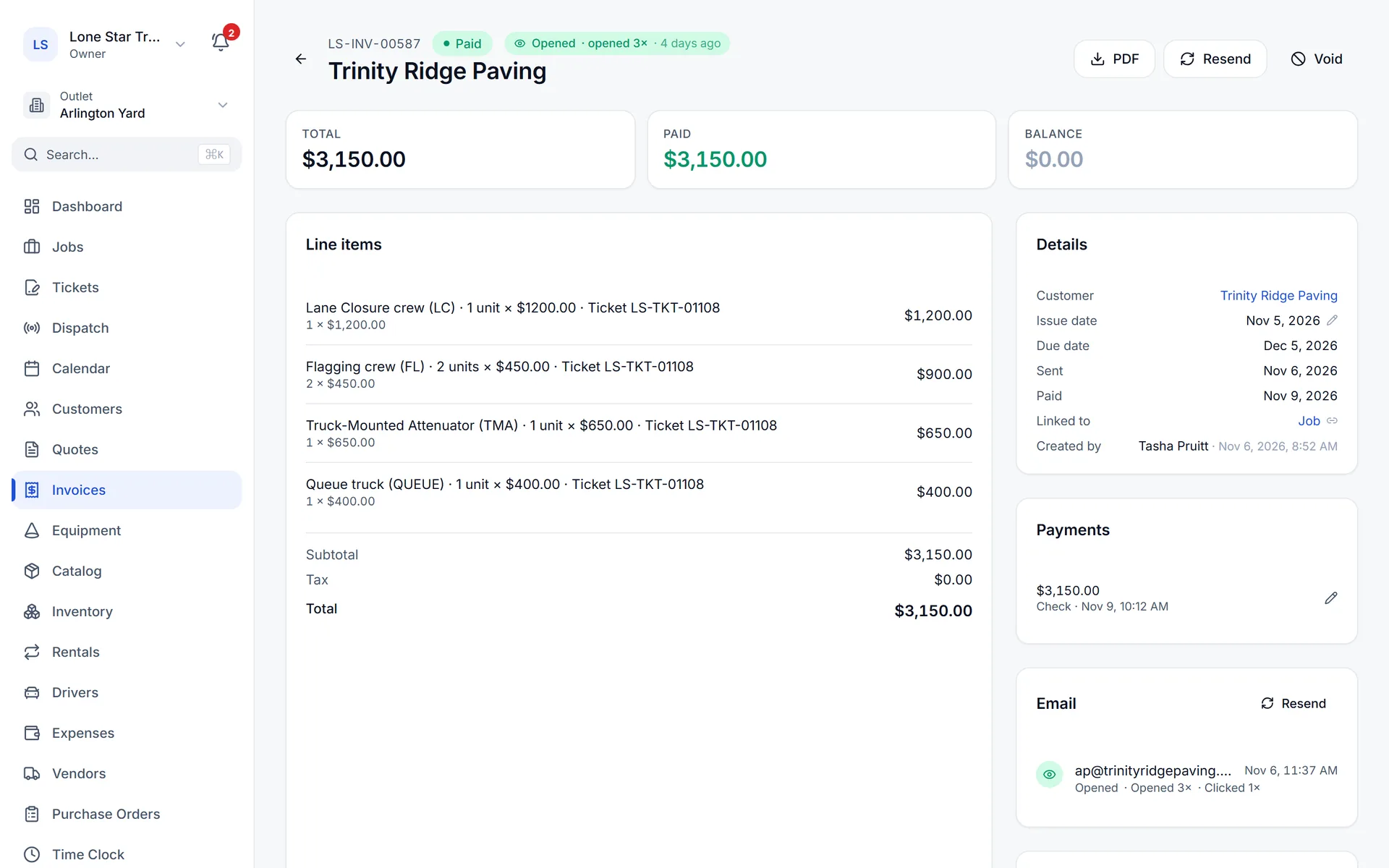
Tickets to invoices to payments
One click turns a signed ticket into a draft invoice. Customers pay online, and Square payments record themselves.
Ticket to invoice in one click+
Each signed ticket becomes a draft invoice with a line per billing row. Review it, add any extra lines, send it.
Quotes customers accept online+
Priced catalog lines, discounts and taxable flags, a branded PDF and a public link the customer accepts without logging in. Edit and resend an accepted quote and the version label (v2, v3) keeps it clear. Convert a quote to a job, an invoice or a rental.
Square, Stripe and QuickBooks pay links+
Every emailed invoice carries a pay link from the processor you choose. Square payments are recorded automatically; cash, checks, card and ACH are recorded by hand, including partial payments. Stripe payments carry a 1% Traffic OS platform fee; Square and QuickBooks payments carry none.
Customer portal+
Customers review and accept quotes, see and pay invoices, follow their jobs and rentals, and update the card on a recurring rental.
Delivery and open tracking+
Every emailed invoice, quote and purchase order shows whether it was delivered and opened.
QuickBooks Online+
Customers, catalog items and invoices sync to QuickBooks from their pages, and automatically when QuickBooks takes the payment.
Run the day
Jobs, crews and dispatch
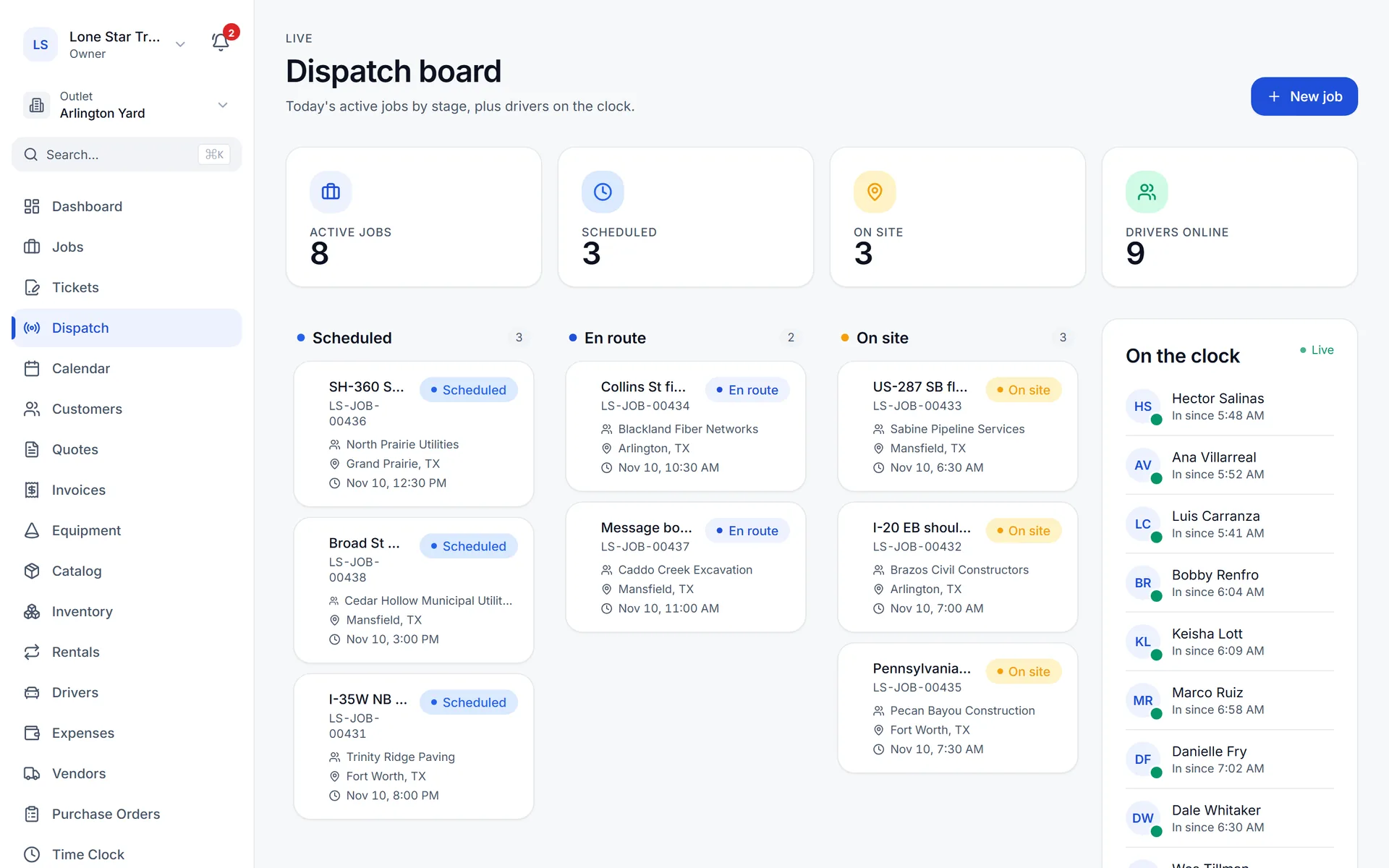
Jobs move from scheduled to en route to on site on one board, and a whole crew is assigned in one click.
Dispatch board+
Scheduled, en route and on site columns, with each job's crew and customer on the card.
Calendar with crew colors+
Day, week and month views; each crew has its own color so a glance shows whose job it is.
Crews with a foreman+
Define named crews and assign every member to a job in one click; each member is notified.
Equipment kits+
Bundle the devices a setup needs (a lane-closure kit, for example) and apply the kit to a job in one click.
Pay crews right
GPS time clock
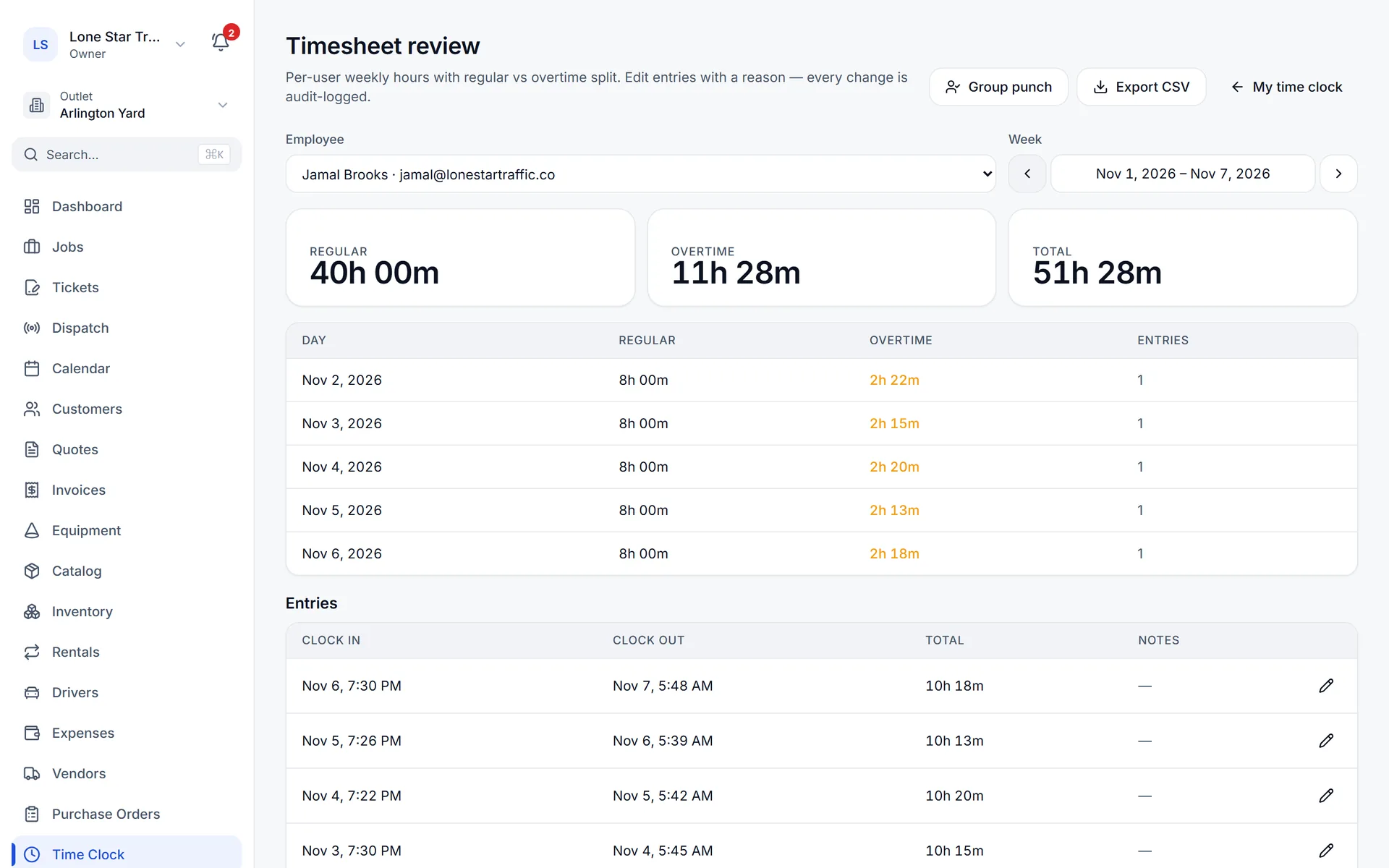
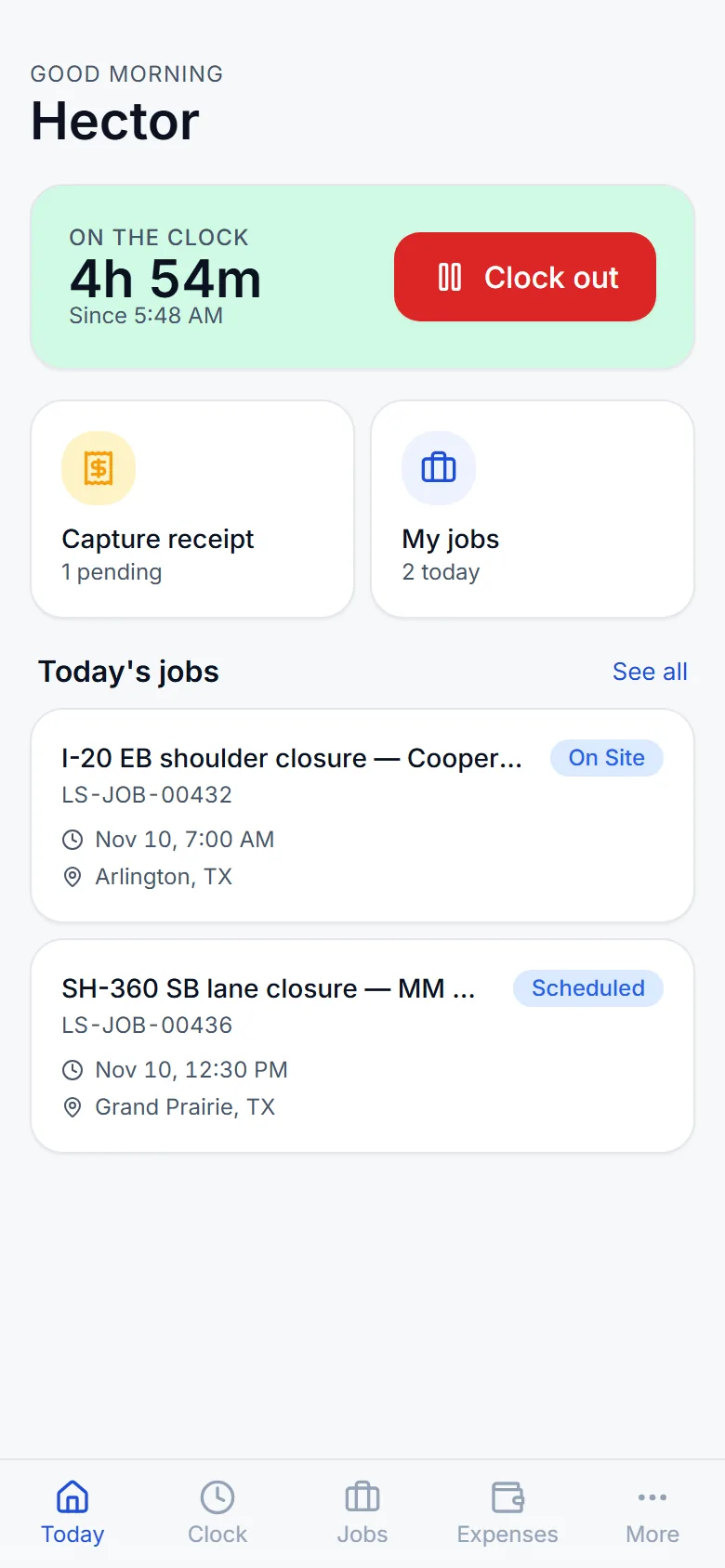
Crews clock in from their phones with GPS at every punch, and pay periods lock before payroll.
GPS at every punch+
Clock in, job check-in and check-out, clock out, each with the phone's GPS position. While someone is clocked in with the time clock open, a location is recorded every 5 minutes; nothing is recorded after clock-out.
Whole-crew clock-in+
A foreman can clock in the whole crew at once. Paid breaks are tracked on the shift.
Works with no signal+
Clock-ins and clock-outs made with no signal are queued on the phone and sent when it reconnects.
Pay periods that lock+
Lock a pay period once payroll runs so closed hours cannot change, and export the timesheet to CSV.
Know where the equipment is
Yards and inventory
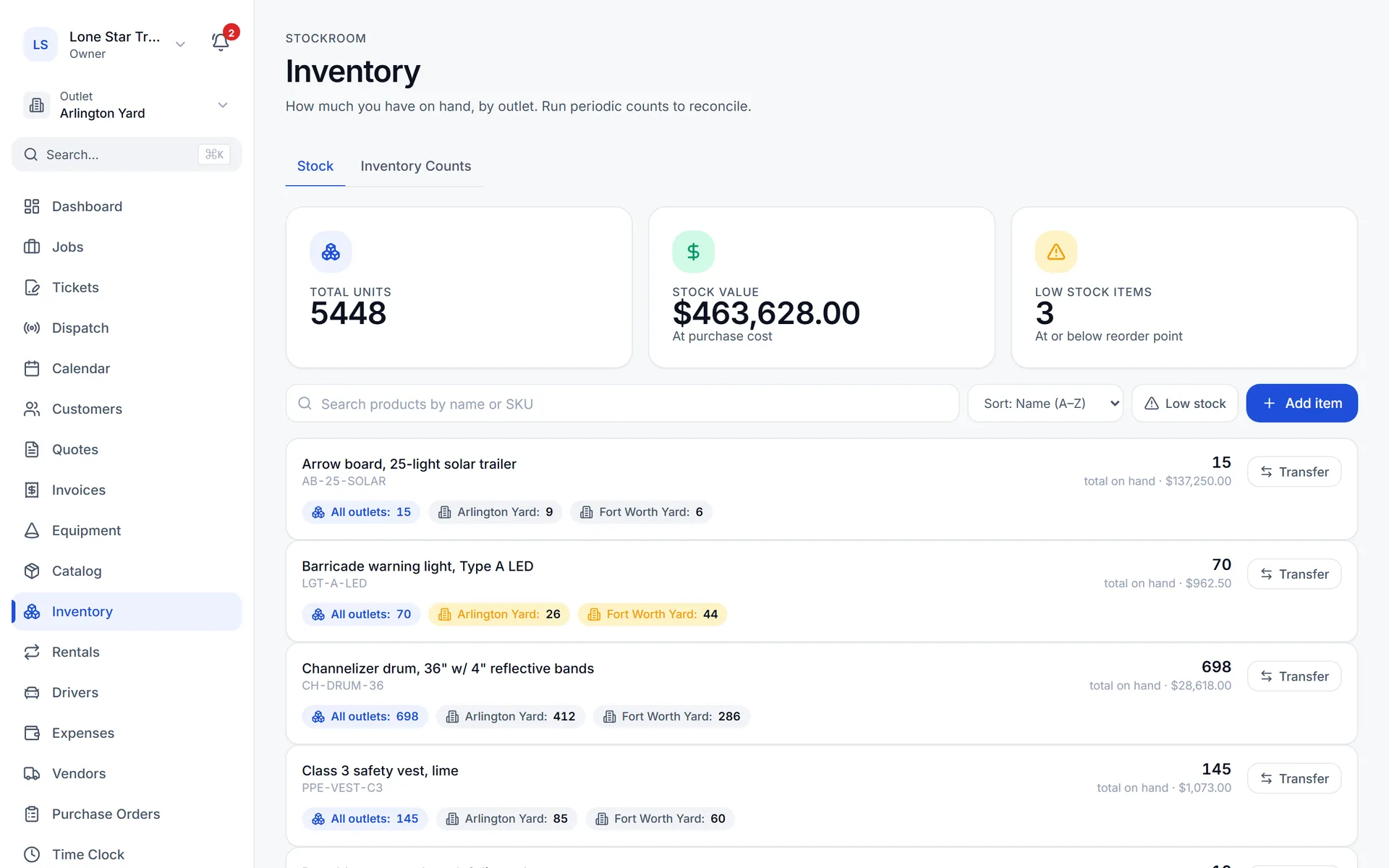
Stock per yard, transfers between yards, counts by yard, and margin based on what you actually paid.
Multiple yards+
Each yard has its own address, number prefix and stock levels.
Transfers and counts+
Move stock between yards with a record of the move, and count one yard without touching the others.
Cost layers+
Purchase-order receipts create cost layers, so the margin on a sale uses what you paid for that stock.
Equipment units+
Units with a status (available, assigned, maintenance, rented), photos and a maintenance log.
Bill every rental
Rentals
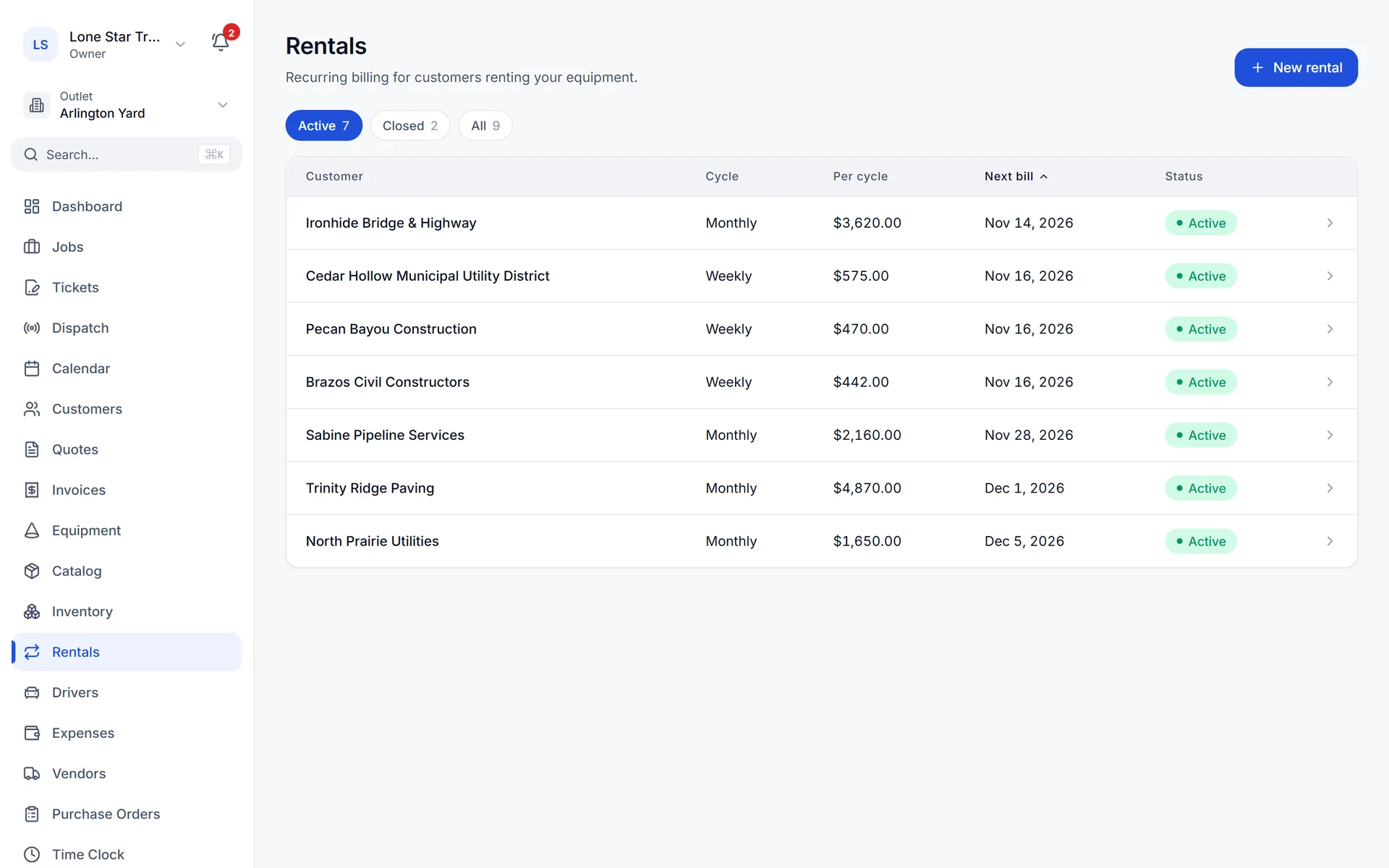
Recurring rentals bill weekly or monthly, including to a card on file the customer keeps up to date.
Recurring rental billing+
Rentals bill on a weekly or monthly cycle; each cycle creates an invoice.
Card on file+
Bill a rental to the customer's saved card through Stripe, with pause, resume and an end date. The customer updates the card in the portal.
Buy and pay suppliers
Purchase orders and vendor bills
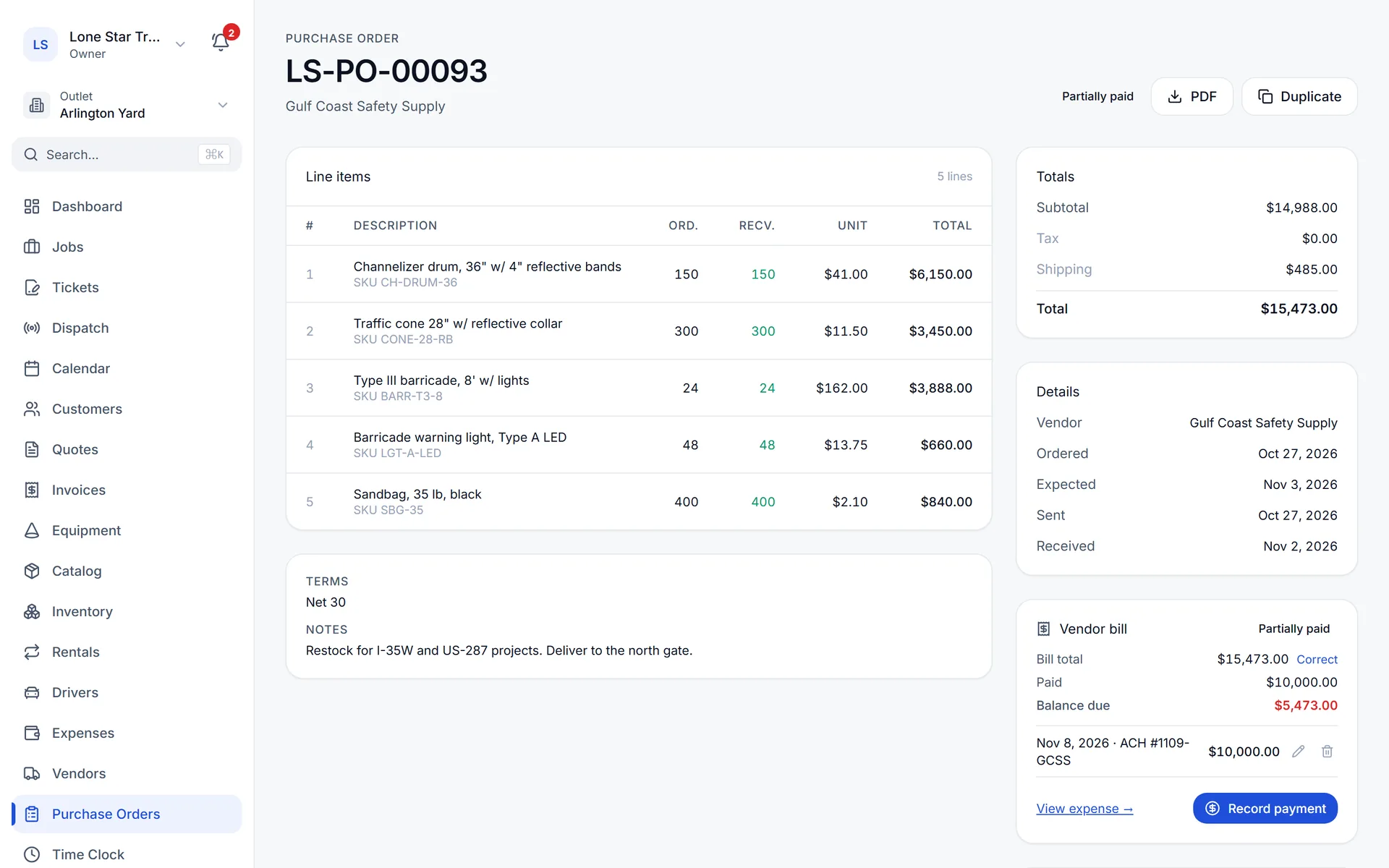
Send purchase orders, receive in parts, turn them into vendor bills and pay those bills in parts.
Purchase orders+
Send a purchase order to the vendor with a public link, receive it in parts, and turn the received order into a vendor bill.
Bill checks+
A bill outside your tolerance from the order is flagged for review. Items received but not billed show on the unpaid-bills report.
Pay in parts+
Record several payments against one vendor bill; the balance stays on the unpaid-bills report until it is paid.
Control spend
Expenses and mileage
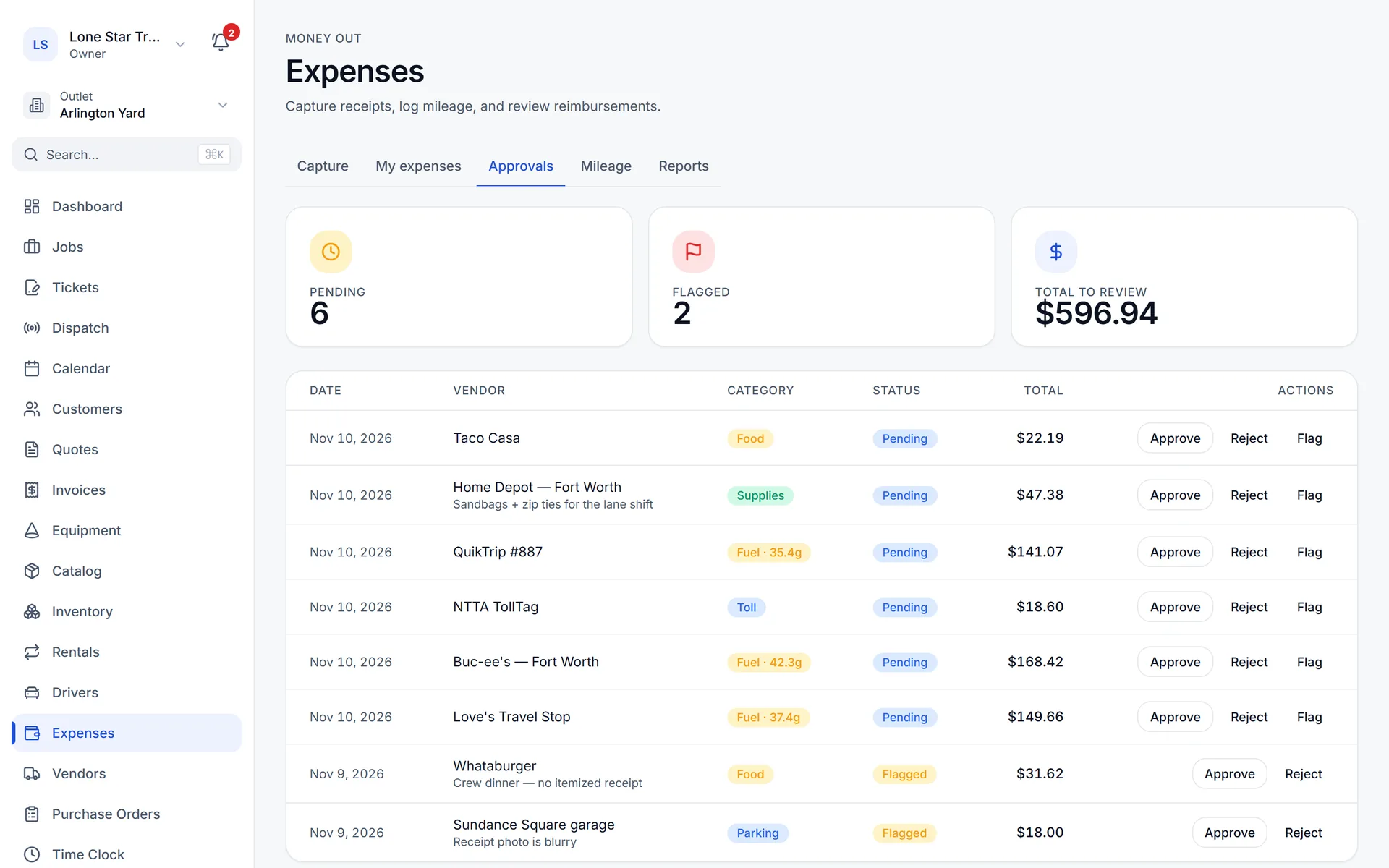
Crews photograph receipts and odometers; the details are read into the expense for approval.
Receipt and odometer photos+
A photo of a receipt or an odometer is read automatically into an expense the crew member submits.
Approval and reports+
Pending, approved and reimbursed, plus weekly expense and fleet mileage reports.
Know the numbers
Reports and owner emails
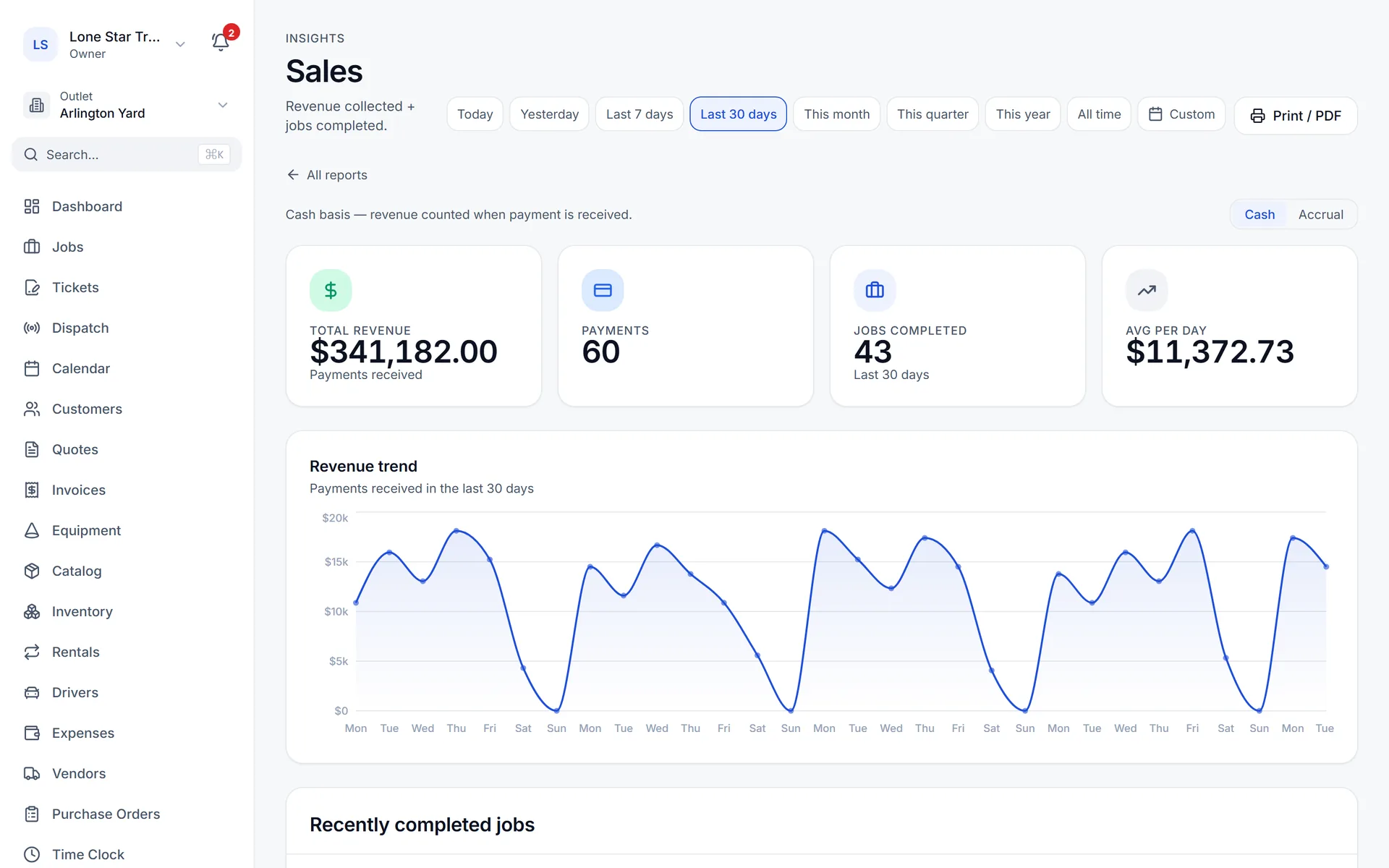
Twenty reports, from A/R aging to profit and loss on a cash or accrual basis, with weekly and monthly owner emails.
Money+
Sales, payments by method, unpaid invoices, A/R aging by customer, customer balances, sales by customer, sales tax, profit and loss (cash or accrual), cash flow, expenses and unpaid bills.
Jobs and crews+
Margin, job profitability, commission, jobs completed, equipment utilization, driver hours and rental revenue.
Owner emails+
A weekly and a monthly report emailed to the owner and anyone on the notification list. Every report prints to PDF.
Keep it yours
Access and security
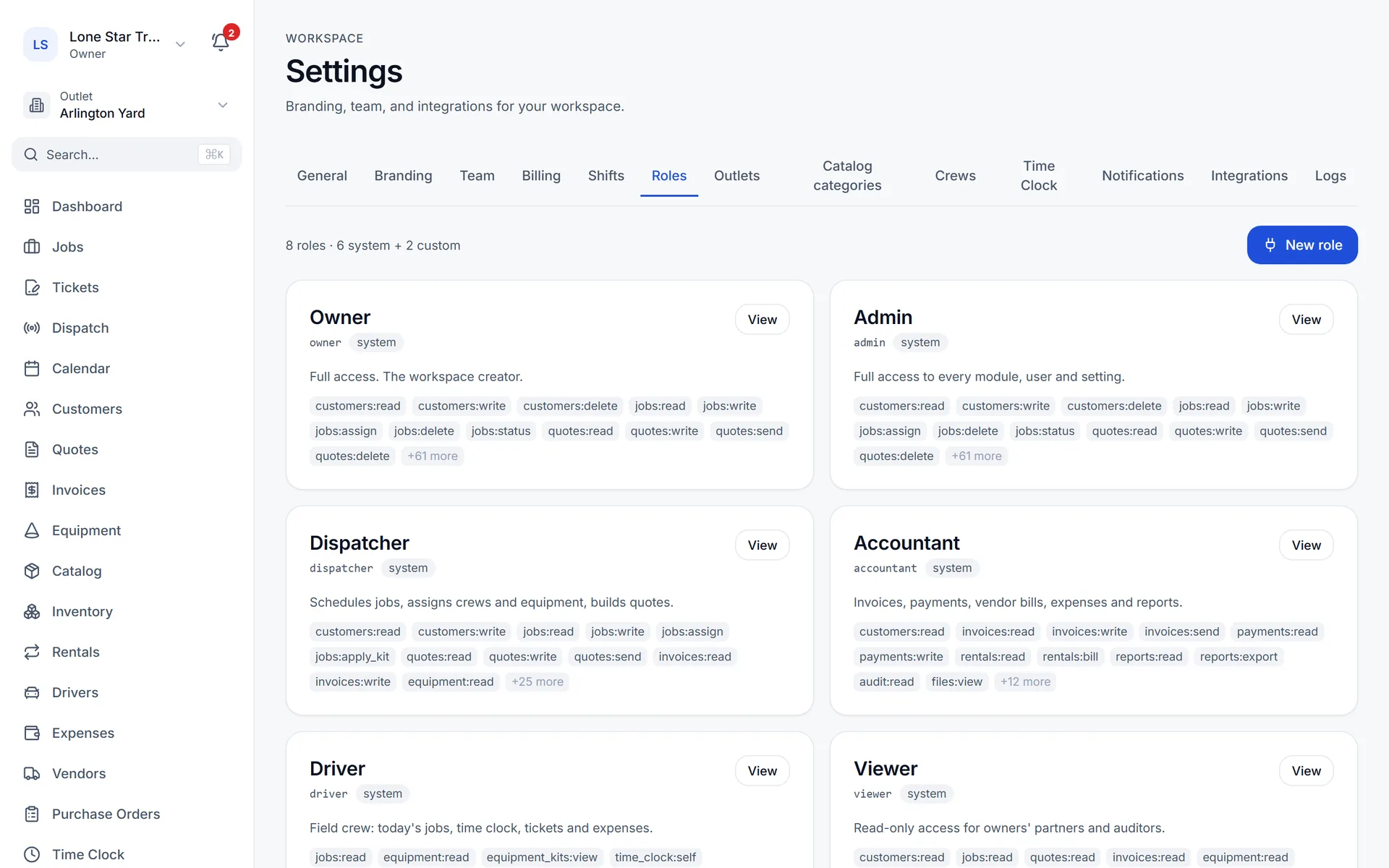
Six built-in roles plus custom roles, encrypted connections to your payment and accounting accounts, and an audit log.
Roles+
Owner, admin, dispatcher, driver, accountant and viewer, plus custom roles with permissions you choose.
Your data stays separate+
Every record belongs to one company and every query is filtered by it. QuickBooks, Stripe and Square tokens are encrypted at rest.
Your brand+
Your logo and colors on PDFs, emails and the customer portal.
Help when you need it+
47 step-by-step support videos inside the app.
Screens from the Traffic OS app with made-up sample data.
Replaces the patchwork most traffic control offices run on
Bring one real ticket. We'll rebuild it in Traffic OS on a 30-minute call.
Live in 14 days or your launch fee back. Month to month.